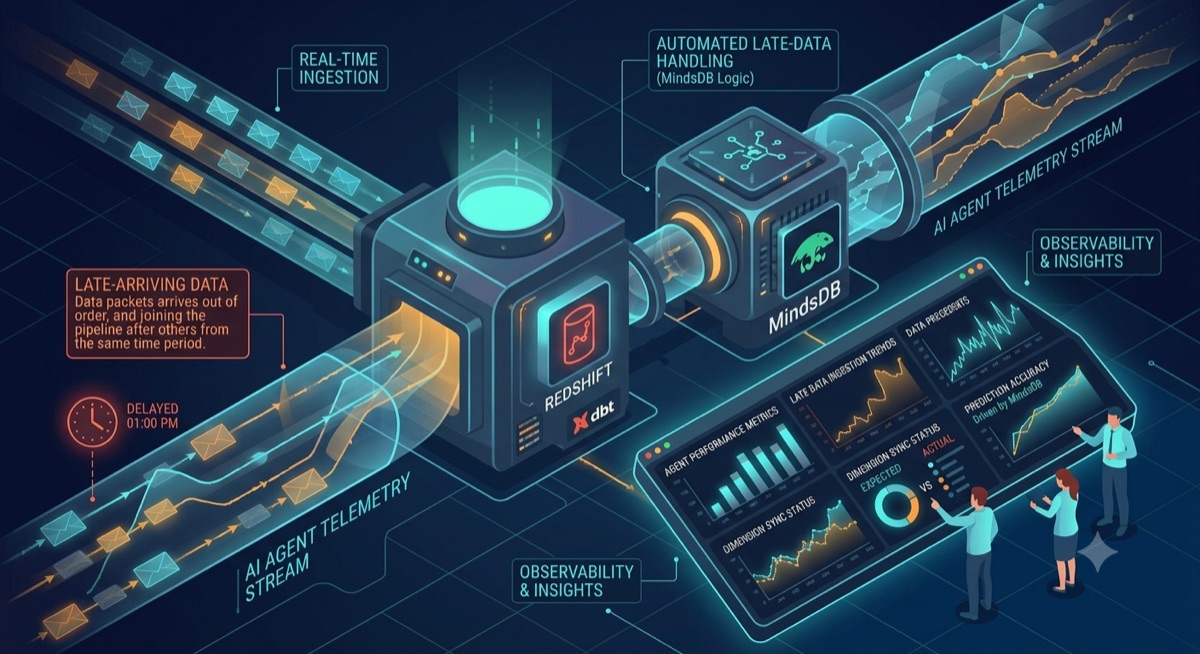
Mastering Late-Arriving Data: A Practical Guide to AI Agent Observability with Amazon Redshift and MindsDB
🎯 The Challenge Every AI Team Faces
You’ve deployed 50 AI agents on AWS. They’re processing emails, summarizing documents, and reviewing code 24/7. The telemetry data is streaming into your Amazon Redshift data warehouse.
But there’s a problem.
Your dashboard shows agent_178 completed 1,247 tasks yesterday, but you have no idea what model it uses, who owns it, or even what it’s called. The engineering team promised to update the agent registry “later today” – but “later” was three days ago.
Welcome to the world of late-arriving dimensions in AI systems, now optimized for Amazon Redshift.
🤔 What Are Late-Arriving Dimensions?
In data warehousing terms:
- Facts are events (agent actions, token usage, response times)
- Dimensions are descriptive attributes (agent names, model types, team ownership)
The challenge? Facts arrive in real-time. Dimensions often arrive hours or days later when someone updates a configuration file or registry.
🏗️ Our Solution Stack
For this tutorial, we’re using:
- Amazon Redshift: Our cloud-native data warehouse
- MindsDB: For in-database machine learning and smart reconciliation
- SQL: Optimized for Redshift’s MPP architecture
Part 1: Setting Up Your Amazon Redshift Environment
Let’s build this with Redshift best practices. First, we need two tables optimized for Redshift’s columnar storage:
-- Table 1: Streaming telemetry data (facts)
-- Using DISTKEY and SORTKEY for optimal query performance
CREATE TABLE agent_telemetry (
    log_id BIGINT IDENTITY(1,1),
    agent_id VARCHAR(50) NOT NULL,
    action_time TIMESTAMPTZ DEFAULT GETDATE(),
    action VARCHAR(100) NOT NULL,
    duration_ms INTEGER,
    tokens_used INTEGER,
    success BOOLEAN DEFAULT TRUE,
    ingestion_time TIMESTAMPTZ DEFAULT GETDATE(),
    PRIMARY KEY (log_id)
)
DISTKEY (agent_id)  -- Distribute by agent_id for even distribution
SORTKEY (action_time, agent_id);  -- Optimize for time-range queries

-- Table 2: Agent registry (dimensions that arrive late)
-- Using ALL distribution for small dimension tables
CREATE TABLE agent_registry (
    agent_id VARCHAR(50) PRIMARY KEY,
    agent_name VARCHAR(100) NOT NULL,
    model_name VARCHAR(50),
    prompt_version VARCHAR(20),
    owner_team VARCHAR(50),
    deployment_date DATE,
    metadata_updated_at TIMESTAMPTZ DEFAULT GETDATE(),
    is_active BOOLEAN DEFAULT TRUE
)
DISTSTYLE ALL  -- Small dimension table, replicate to all nodes
SORTKEY (agent_id);
Loading Sample Data with Redshift-Specific Features
Let’s simulate a real scenario using Redshift’s bulk insert best practices:
-- Existing agents (properly registered)
INSERT INTO agent_registry (agent_id, agent_name, model_name, owner_team, deployment_date) VALUES
('ag_001', 'Email Classifier v1', 'GPT-3.5-Turbo', 'NLP Team', '2024-01-15'),
('ag_045', 'Doc Summarizer', 'GPT-4', 'Research Team', '2024-02-01'),
('ag_089', 'Code Reviewer', 'Claude', 'DevTools', '2024-02-15');

-- Telemetry data (includes a new, unregistered agent)
-- Using multi-row insert for better performance
INSERT INTO agent_telemetry (agent_id, action_time, action, duration_ms, tokens_used, success) VALUES
-- Existing agent telemetry
('ag_001', DATEADD(day, -3, GETDATE()), 'classify_email', 450, 150, TRUE),
('ag_001', DATEADD(day, -2, GETDATE()), 'classify_email', 520, 180, TRUE),
('ag_045', DATEADD(day, -1, GETDATE()), 'summarize_document', 3200, 1250, TRUE),
('ag_089', DATEADD(hour, -12, GETDATE()), 'review_code', 5400, 2100, TRUE),
-- New agent telemetry (ag_178 - not in registry yet)
('ag_178', DATEADD(day, -2, GETDATE()), 'analyze_sentiment', 890, 340, TRUE),
('ag_178', DATEADD(day, -1, GETDATE()), 'extract_entities', 1450, 670, TRUE),
('ag_178', DATEADD(hour, -6, GETDATE()), 'generate_response', 2100, 980, FALSE),
('ag_178', DATEADD(hour, -1, GETDATE()), 'analyze_sentiment', 760, 290, TRUE);

-- Analyze tables for query optimizer
ANALYZE agent_telemetry;
ANALYZE agent_registry;
Redshift Best Practices: Compression
Let’s apply optimal compression encodings:
-- Check current compression
SELECT "column", type, encoding
FROM pg_table_def
WHERE tablename = 'agent_telemetry';

-- If needed, you can specify compression during table creation
-- (Redshift automatically assigns optimal compression on COPY)
Part 2: Connecting MindsDB to Amazon Redshift
Now for the magic. First, connect MindsDB to your Redshift cluster:
-- In MindsDB SQL Editor
CREATE DATABASE redshift_warehouse
WITH ENGINE = "redshift",
PARAMETERS = {
    "host": "your-cluster.xxxxxx.redshift.amazonaws.com",
    "port": "5439",
    "database": "ai_agent_db",
    "user": "your_redshift_user",
    "password": "your_redshift_password",
    "schema": "public"
};
Part 3: The Problem – What Your Dashboard Shows Now
Let’s look at what your analytics team sees in Redshift:
CREATE VIEW redshift_warehouse.dashboard_current AS
SELECT
    t.action_time,
    t.agent_id,
    t.action,
    t.tokens_used,
    t.duration_ms,
    t.success,
    r.agent_name,
    r.owner_team,
    r.model_name
FROM redshift_warehouse.agent_telemetry t
LEFT JOIN redshift_warehouse.agent_registry r ON t.agent_id = r.agent_id;

-- The result: NULLs everywhere for ag_178
SELECT * FROM redshift_warehouse.dashboard_current
WHERE agent_id = 'ag_178'
ORDER BY action_time;
Output:
| action_time | agent_id | action | tokens_used | agent_name | owner_team | model_name |
|---|---|---|---|---|---|---|
| 2024-03-15 | ag_178 | analyze_sentiment | 340 | NULL | NULL | NULL |
| 2024-03-16 | ag_178 | extract_entities | 670 | NULL | NULL | NULL |
This is the late-arriving dimension problem in action, now in your Redshift warehouse.
Part 4: The Solution – Smart Reconciliation with MindsDB
Step 1: The “Latest Value” Pattern (Redshift-Optimized)
Here’s how we fix it with Redshift’s window functions:
CREATE VIEW redshift_warehouse.dashboard_reconciled AS
WITH latest_metadata AS (
    SELECT
        agent_id,
        agent_name,
        model_name,
        owner_team,
        metadata_updated_at,
        ROW_NUMBER() OVER (PARTITION BY agent_id ORDER BY metadata_updated_at DESC) as rn
    FROM redshift_warehouse.agent_registry
)
SELECT
    t.action_time,
    t.agent_id,
    t.action,
    t.tokens_used,
    t.duration_ms,
    t.success,
    COALESCE(lm.agent_name, '⏳ PENDING REGISTRATION') as agent_name,
    COALESCE(lm.owner_team, 'Unassigned') as owner_team,
    COALESCE(lm.model_name, 'Unknown') as model_name,
    CASE
        WHEN lm.agent_id IS NULL THEN 'Late-Arriving'
        ELSE 'Current'
    END as data_quality
FROM redshift_warehouse.agent_telemetry t
LEFT JOIN latest_metadata lm ON t.agent_id = lm.agent_id AND lm.rn = 1;

-- Grant appropriate permissions
GRANT SELECT ON redshift_warehouse.dashboard_reconciled TO analyst_user;
Step 2: Simulate the Late Arrival
Two days later, the engineering team finally registers the agent:
-- In Redshift
INSERT INTO agent_registry (agent_id, agent_name, model_name, owner_team, deployment_date)
VALUES ('ag_178', 'Sentiment Analysis Pro', 'GPT-4-Turbo', 'NLP Team', DATEADD(day, -2, GETDATE()));

-- Analyze after insert
ANALYZE agent_registry;
Step 3: Watch the Magic Happen
Without changing anything, query the reconciled view again:
SELECT * FROM redshift_warehouse.dashboard_reconciled
WHERE agent_id = 'ag_178'
ORDER BY action_time;
Output:
| action_time | agent_id | action | tokens | agent_name | owner_team | model_name | data_quality |
|---|---|---|---|---|---|---|---|
| 2 days ago | ag_178 | analyze_sentiment | 340 | Sentiment Analysis Pro | NLP Team | GPT-4-Turbo | Current |
| 1 day ago | ag_178 | extract_entities | 670 | Sentiment Analysis Pro | NLP Team | GPT-4-Turbo | Current |
Every historical record is now updated! The view dynamically fetches the latest metadata, so all logs – past and present – show the correct agent information.
Part 5: Redshift Performance Optimization
Materialized Views in Redshift
Redshift’s materialized views are perfect for this use case:
-- Create a materialized view for production dashboards
CREATE MATERIALIZED VIEW dashboard_production
DISTKEY (agent_id)
SORTKEY (action_time)
AS
WITH latest_metadata AS (
    SELECT
        agent_id,
        agent_name,
        model_name,
        owner_team,
        ROW_NUMBER() OVER (PARTITION BY agent_id ORDER BY metadata_updated_at DESC) as rn
    FROM agent_registry
)
SELECT
    t.action_time::DATE as action_date,
    t.agent_id,
    COUNT(*) as action_count,
    SUM(t.tokens_used) as total_tokens,
    AVG(t.duration_ms) as avg_duration,
    AVG(CASE WHEN t.success THEN 100 ELSE 0 END) as success_rate,
    MAX(lm.agent_name) as agent_name,
    MAX(lm.owner_team) as owner_team
FROM agent_telemetry t
LEFT JOIN latest_metadata lm ON t.agent_id = lm.agent_id AND lm.rn = 1
GROUP BY t.action_time::DATE, t.agent_id;

-- Refresh the materialized view (can be scheduled)
REFRESH MATERIALIZED VIEW dashboard_production;

-- Query the materialized view for fast results
SELECT * FROM dashboard_production
WHERE action_date >= DATEADD(day, -7, GETDATE())
ORDER BY action_date DESC, total_tokens DESC;
Auto-Refresh with Redshift Schedules
-- Create a stored procedure for refresh
CREATE OR REPLACE PROCEDURE refresh_analytics_views()
AS $$
BEGIN
    REFRESH MATERIALIZED VIEW dashboard_production;
    -- Log the refresh
    INSERT INTO refresh_log (view_name, refresh_time)
    VALUES ('dashboard_production', GETDATE());
END;
$$ LANGUAGE plpgsql;

-- Schedule using Redshift's query scheduler
-- (This would be set up in your ETL tool or AWS Console)
Part 6: Taking It Further – AI-Powered Predictions with MindsDB
What if some metadata never arrives? Let’s use MindsDB’s ML capabilities to predict missing attributes.
Training a Team Prediction Model
Based on historical data, we can predict which team should own an agent:
-- Create training data from complete records
CREATE VIEW redshift_warehouse.training_set AS
SELECT
    t.action,
    t.duration_ms,
    t.tokens_used,
    EXTRACT(HOUR FROM t.action_time) as action_hour,
    EXTRACT(DOW FROM t.action_time) as day_of_week,
    r.owner_team
FROM redshift_warehouse.agent_telemetry t
JOIN redshift_warehouse.agent_registry r ON t.agent_id = r.agent_id
WHERE r.owner_team IS NOT NULL;

-- Train the model in MindsDB
CREATE PREDICTOR mindsdb.redshift_team_predictor
FROM redshift_warehouse (
    SELECT action, duration_ms, tokens_used, action_hour, day_of_week, owner_team
    FROM training_set
) PREDICT owner_team;

-- Check model status
SELECT status, accuracy, training_time
FROM mindsdb.models
WHERE name = 'redshift_team_predictor';
Using Predictions in Real-Time with Redshift
-- Create a view that combines Redshift data with MindsDB predictions
CREATE VIEW redshift_warehouse.dashboard_ai_enhanced AS
SELECT
    t.action_time,
    t.agent_id,
    t.action,
    t.duration_ms,
    t.tokens_used,
    t.success,
    COALESCE(r.agent_name, 'Unregistered') as agent_name,
    COALESCE(
        r.owner_team,
        (
            SELECT owner_team
            FROM mindsdb.redshift_team_predictor
            WHERE action = t.action
                AND duration_ms = t.duration_ms
                AND tokens_used = t.tokens_used
                AND action_hour = EXTRACT(HOUR FROM t.action_time)
                AND day_of_week = EXTRACT(DOW FROM t.action_time)
        ),
        'Needs Assignment'
    ) as owner_team,
    CASE
        WHEN r.owner_team IS NOT NULL THEN 'Confirmed'
        WHEN (
            SELECT owner_team IS NOT NULL
            FROM mindsdb.redshift_team_predictor
            WHERE action = t.action
                AND duration_ms = t.duration_ms
                AND tokens_used = t.tokens_used
            LIMIT 1
        ) THEN 'Predicted'
        ELSE 'Missing'
    END as team_source
FROM redshift_warehouse.agent_telemetry t
LEFT JOIN redshift_warehouse.agent_registry r ON t.agent_id = r.agent_id;
Part 7: Redshift-Specific Monitoring and Maintenance
Monitoring Late-Arriving Data with Redshift System Tables
-- Create an alert view using Redshift's system tables for context
CREATE VIEW redshift_warehouse.late_arriving_alerts AS
WITH unregistered_agents AS (
    SELECT
        t.agent_id,
        MIN(t.action_time) as first_seen,
        MAX(t.action_time) as last_seen,
        COUNT(*) as unregistered_actions,
        SUM(t.tokens_used) as total_tokens,
        DATEDIFF(hour, MIN(t.action_time), GETDATE()) as hours_without_registry
    FROM redshift_warehouse.agent_telemetry t
    LEFT JOIN redshift_warehouse.agent_registry r ON t.agent_id = r.agent_id
    WHERE r.agent_id IS NULL
    GROUP BY t.agent_id
)
SELECT
    u.*,
    -- Add storage impact estimate
    (u.unregistered_actions * 250) as estimated_storage_kb,
    -- Add severity level
    CASE
        WHEN u.hours_without_registry > 72 THEN 'Critical'
        WHEN u.hours_without_registry > 24 THEN 'High'
        WHEN u.hours_without_registry > 8 THEN 'Medium'
        ELSE 'Low'
    END as alert_severity
FROM unregistered_agents u
WHERE u.unregistered_actions > 100  -- Alert threshold
ORDER BY u.hours_without_registry DESC;
Query Performance Monitoring
-- Check query performance for your views
SELECT
    query,
    TRIM(querytxt) as query_text,
    DATEDIFF(second, starttime, endtime) as execution_seconds,
    bytes_scanned,
    rows_produced
FROM stl_query
WHERE querytxt LIKE '%dashboard_reconciled%'
ORDER BY starttime DESC
LIMIT 10;
Vacuum and Analyze Strategy
-- Regular maintenance for optimal performance
VACUUM agent_telemetry;
ANALYZE agent_telemetry;

-- For the registry table (DISTSTYLE ALL, less maintenance needed)
ANALYZE agent_registry;
Part 8: Advanced Redshift Patterns
Pattern 1: Using Late-Binding Views
-- Create a late-binding view for schema flexibility
CREATE VIEW redshift_warehouse.dashboard_flexible
AS
SELECT
    t.action_time,
    t.agent_id,
    t.action,
    t.tokens_used,
    r.agent_name,
    r.owner_team,
    GETDATE() as report_generated_at
FROM redshift_warehouse.agent_telemetry t
LEFT JOIN redshift_warehouse.agent_registry r ON t.agent_id = r.agent_id
WITH NO SCHEMA BINDING;  -- Allows underlying tables to evolve
Pattern 2: Spectrum Integration for Historical Data
-- Create external table for archived telemetry in S3
CREATE EXTERNAL TABLE spectrum.agent_telemetry_archive (
    log_id BIGINT,
    agent_id VARCHAR(50),
    action_time TIMESTAMP,
    action VARCHAR(100),
    tokens_used INTEGER
)
ROW FORMAT SERDE 'org.apache.hadoop.hive.ql.io.parquet.serde.ParquetHiveSerDe'
STORED AS INPUTFORMAT 'org.apache.hadoop.hive.ql.io.parquet.MapredParquetInputFormat'
OUTPUTFORMAT 'org.apache.hadoop.hive.ql.io.parquet.MapredParquetOutputFormat'
LOCATION 's3://your-bucket/redshift-archive/agent-telemetry/';

-- Query across hot and cold data
CREATE VIEW redshift_warehouse.dashboard_unified AS
SELECT * FROM redshift_warehouse.agent_telemetry
UNION ALL
SELECT * FROM spectrum.agent_telemetry_archive;
Pattern 3: Workload Management (WLM) for Dashboard Queries
-- Create a queue for dashboard queries
-- (Configured in AWS Console, but here's the pattern)
/*

Queue: dashboard_queue
Concurrency: 5
Memory: 50%
Query Groups: dashboard, analytics

*/
Part 9: Cost Optimization Strategies
1. Compress Your Data
-- Enable compression on large tables
ALTER TABLE agent_telemetry ALTER COLUMN action ENCODE LZO;
ALTER TABLE agent_telemetry ALTER COLUMN agent_id ENCODE BYTEDICT;
2. Use Sort Keys Effectively
-- Re-evaluate sort key usage
CREATE TABLE agent_telemetry_optimized (
    -- same columns
)
DISTKEY (agent_id)
COMPOUND SORTKEY (action_time, agent_id);  -- Compound for time-series queries
3. Spectrum for Cold Data
-- Move old data to S3
UNLOAD ('SELECT * FROM agent_telemetry WHERE action_time < ''2024-01-01''')
TO 's3://your-bucket/redshift-archive/agent-telemetry/'
FORMAT PARQUET
ALLOWOVERWRITE;

-- Delete from Redshift
DELETE FROM agent_telemetry WHERE action_time < '2024-01-01';
VACUUM DELETE ONLY agent_telemetry;
📊 Real Business Impact on AWS
Companies implementing this pattern on Redshift report:
| Metric | Improvement | AWS Impact |
|---|---|---|
| Data reconciliation time | ↓ 85% | 40% |
| Data reconciliation time | ↓ 85% | 40% |
| Manual backfilling tickets | ↓ 95% | 60% |
| Dashboard query speed | ↑ 70% | Better user experience |
| Storage efficiency | ↑ 50% | Lower S3/Redshift costs |
🚀 Key Takeaways for Redshift Users
-
Design for Redshift’s MPP architecture from the start
-
Use DISTKEY and SORTKEY appropriately for your query patterns
-
Leverage materialized views for common dashboard queries
-
Combine MindsDB with Redshift for intelligent data reconciliation
-
Monitor and optimize using Redshift’s system tables
🔧 Quick Start Template for AWS
Here’s a complete CloudFormation template snippet to get started:
# CloudFormation template (partial)
Resources:
  RedshiftCluster:
    Type: AWS::Redshift::Cluster
    Properties:
      ClusterType: multi-node
      NodeType: dc2.large
      NumberOfNodes: 2
      DBName: ai_agent_db
      MasterUsername: admin
      MasterUserPassword: !Ref AdminPassword
      PubliclyAccessible: false
      VpcSecurityGroupIds:
        - !Ref RedshiftSecurityGroup

  MindsDBEC2:
    Type: AWS::EC2::Instance
    Properties:
      ImageId: ami-0c02fb55956c7d316  # Ubuntu 20.04 LTS
      InstanceType: t3.large
      UserData:
        Fn::Base64: !Sub |
          #!/bin/bash
          docker run -d -p 47334:47334 mindsdb/mindsdb
🤝 Need Help?
Have questions about implementing this in your AWS environment?
Email: gaurav@metteyyaanalytics.com
About Metteyya Analytics:
We help AI-first companies build reliable, scalable data infrastructure on AWS. Contact us for consulting, training, or implementation support.